
Screenshots



App details
- Updated
- May 24, 2024
- Language
- English
- Developer
- Stellar Data Recovery Inc.
- Category
- Mobile
SoftPas in:
This product is also available in the following languages:
About Stellar Repair for MS SQL
Download Stellar Repair for MS SQL – repair sql database, recover mdf file, fix corrupted sql server, database recovery tool, sql server repair software
Overview
Stellar Repair for MS SQL is a specialized utility designed to restore and recover corrupted Microsoft SQL Server database files, primarily those with .mdf and .ndf extensions. The application addresses a critical need for database administrators and IT professionals who face data loss due to file corruption, unexpected system crashes, or software errors. By offering a structured recovery process, the software aims to minimize downtime and prevent irreversible data loss in mission-critical environments. It is tailored for users managing SQL Server databases on Windows systems, particularly those requiring a reliable, efficient solution for data integrity restoration.
The tool supports both Standard and Advanced Scan modes, enabling users to adapt the repair process based on the severity of corruption. This dual approach ensures flexibility across various recovery scenarios, from minor file inconsistencies to extensive damage. The ability to preview repaired data before saving adds a layer of validation, allowing users to confirm the accuracy and completeness of recovered objects. Real-world use cases include restoring customer data in enterprise databases, recovering transaction logs after system failure, and retrieving deleted records that are vital for compliance and auditing purposes.
Developed by Stellar Information Technology Pvt. Ltd., a known provider of data recovery solutions, the application fits within a broader ecosystem of database tools aimed at ensuring business continuity. Its focus on precision, transparency, and user control positions it as a valuable asset for technical users managing high-stakes data environments. The developer did not provide additional technical details about integration with cloud platforms or automated scheduling features.
Key Features & Functionality
- Efficient Database Repair: The software uses Standard and Advanced Scan modes to repair corrupted .mdf and .ndf files. Standard Scan delivers fast recovery for minor issues, while Advanced Scan performs a deep analysis for severe corruption, ensuring maximum data retrieval.
- Recovery of Deleted Records: This feature enables users to restore records that were deleted from tables, a critical capability for maintaining data continuity and compliance with audit requirements.
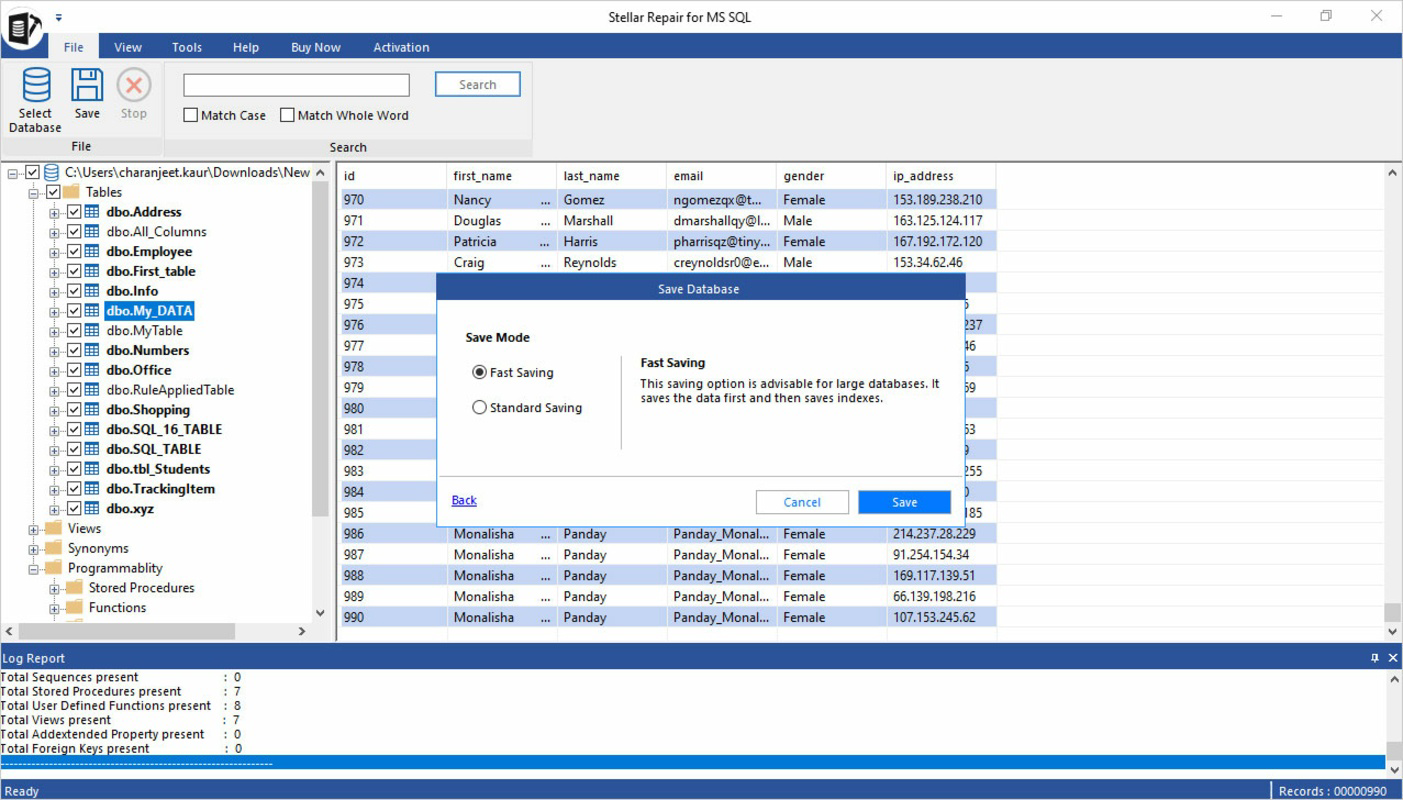
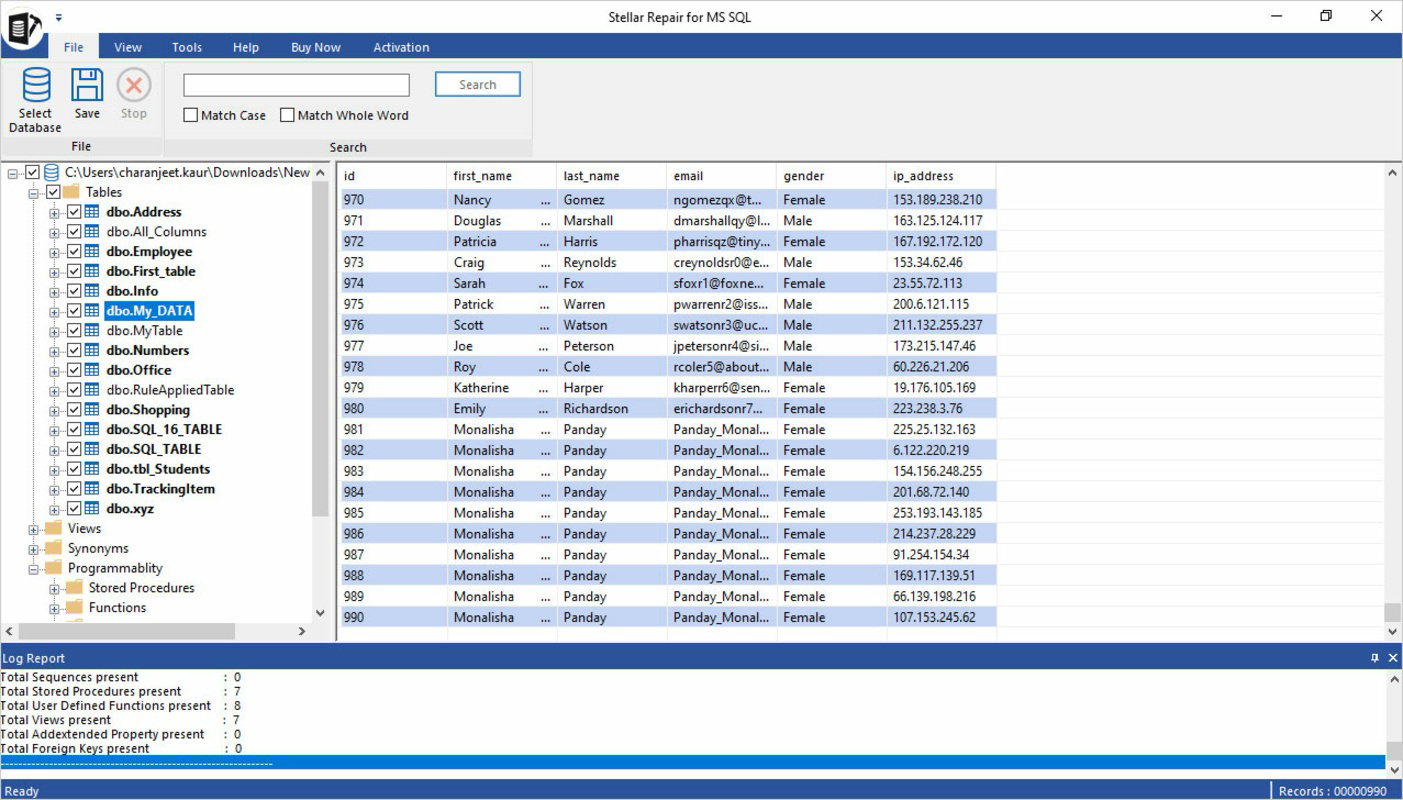
- User-Friendly Preview Feature: A tree-like interface displays repaired database objects, allowing users to inspect tables, views, stored procedures, and data before finalizing the save operation.
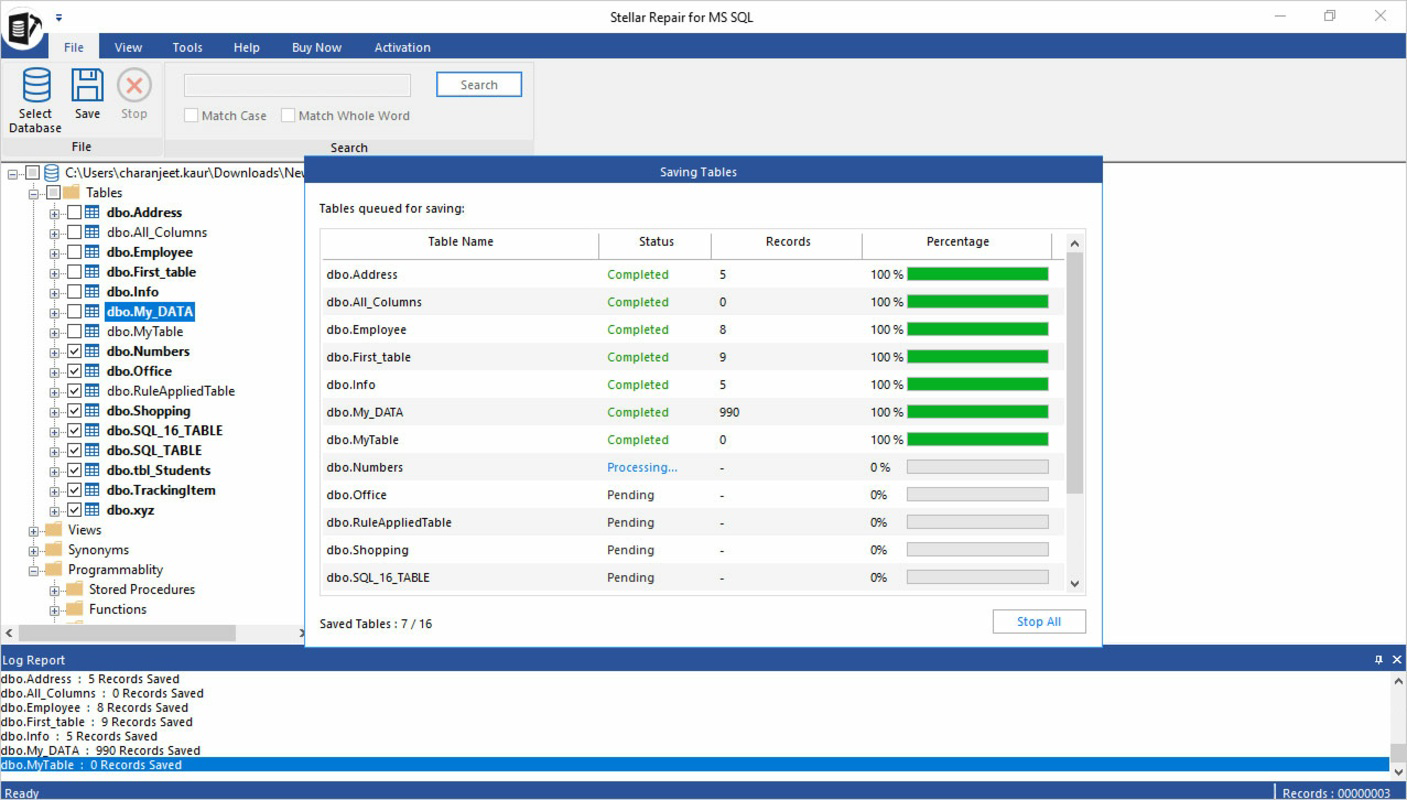
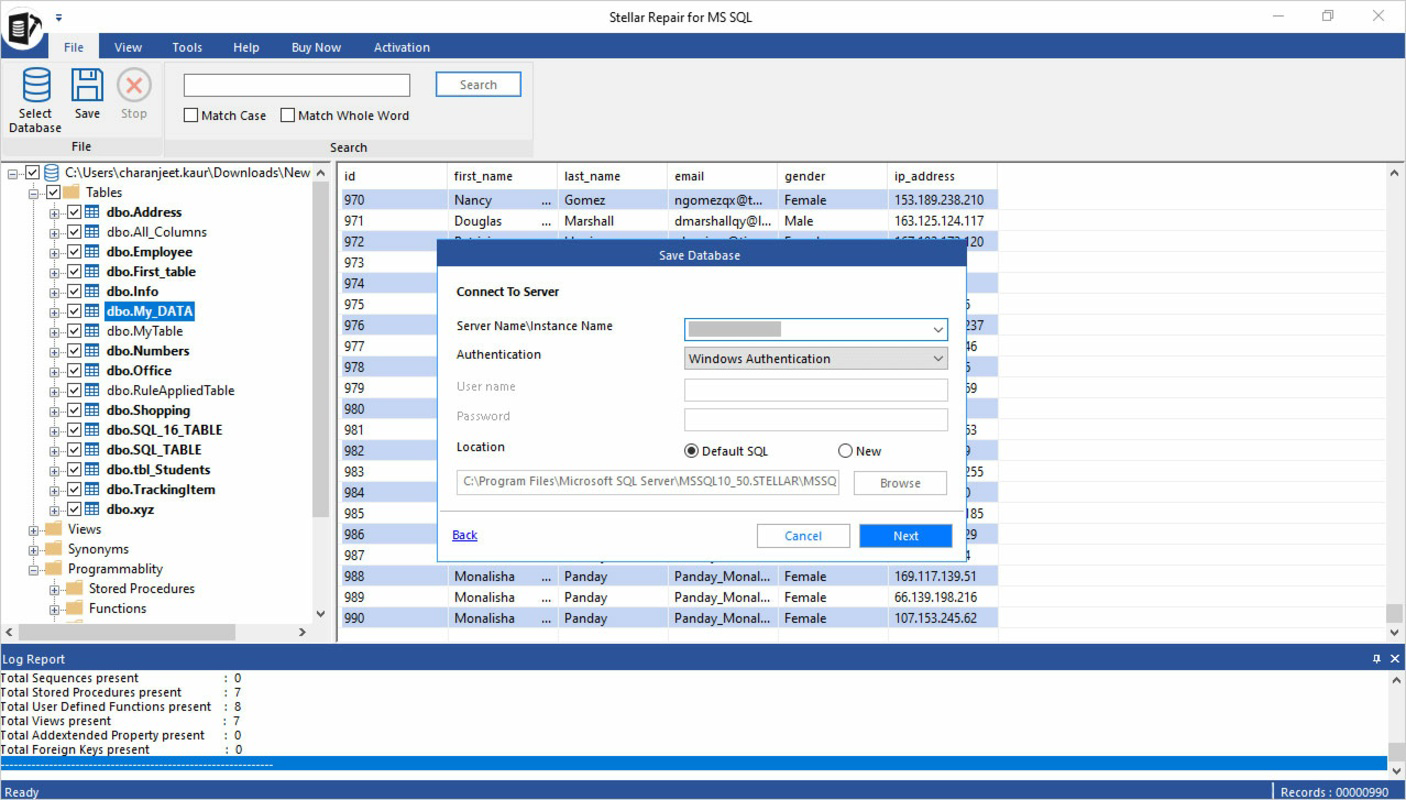
- Versatile Saving Options: Repaired databases can be exported to multiple formats, including New Database, Live Database, CSV, HTML, and XLS, supporting diverse data management workflows.
- Detailed Log Reporting: Comprehensive logs are generated after each repair, documenting the process, detected issues, and recovery outcomes for later review and analysis.
For example, a database administrator facing a failed SQL Server startup due to a corrupted .mdf file can use the Standard Scan for a quick fix. If the corruption is deeper, switching to Advanced Scan ensures no data is left behind. After repair, the preview feature allows validation of key tables before exporting to CSV for reporting or importing into a live system. The logging feature helps document the recovery process for internal audits or future reference.
Interface, UX & Performance
Stellar Repair for MS SQL features a clean, structured interface designed for technical users. The layout organizes tools and functions into clearly labeled sections, including file selection, scan mode options, preview window, and export settings. Navigation is linear and intuitive, guiding users through the repair workflow step by step. Visual feedback is provided during scanning and saving operations, enhancing user confidence in the process.
The user experience is optimized for professionals who are familiar with SQL Server environments. The tree-like preview interface allows for efficient exploration of recovered database objects, making it easier to locate and validate specific data. Although the developer did not list formal performance metrics, the software is designed to operate efficiently on standard Windows workstations. Responsiveness remains consistent across mid-range and high-end machines, with minimal lag during scanning and previewing.
Stability is a key focus, particularly during extended repair operations on large database files. The tool maintains consistent performance without unexpected crashes or data loss during processing. However, specific requirements for RAM, CPU, or disk space were not disclosed. Compatibility with older Windows versions was not fully specified, and the developer did not provide details on background processing or multi-threading capabilities.
Platform Compatibility & Technical Requirements
Stellar Repair for MS SQL is designed exclusively for the Windows platform. It is compatible with Windows-based systems running the specified version, though detailed OS requirements were not listed. The application has a file size of 125 MB, which is relatively compact for a database recovery tool, suggesting optimized resource usage.
Users should ensure their system meets the minimum specifications required to run the software, though exact details were not provided by the developer. The application is intended for desktop environments, not mobile or web-based systems. No information was given about support for virtual machines, remote access, or cloud deployment. The developer did not specify whether the tool supports command-line execution or scripting for automation.
Pros and Cons
Pros
- Effective repair of corrupted .mdf and .ndf files using dual scan modes.
- Ability to recover deleted table records, enhancing data integrity.
- Intuitive tree-based preview interface for validating recovered data.
- Flexible export options to multiple formats including CSV, HTML, and XLS.
- Comprehensive log reporting for audit and troubleshooting purposes.
Cons
- Platform limited to Windows; no support for Linux or macOS.
- Specific system requirements were not disclosed.
- Not available as a mobile app or web-based tool.
- Price point of $199.00 may be high for individual users or small teams.
- Developer did not provide information on automatic updates or cloud integration.
FAQ
Is Stellar Repair for MS SQL compatible with all versions of Windows?
The developer did not specify minimum OS requirements. Compatibility may vary depending on the Windows version in use.
Can I recover data from a damaged SQL Server database file?
Yes, the software is designed to repair and recover data from corrupted .mdf and .ndf files used by Microsoft SQL Server.
Does the tool support recovery of deleted records?
Yes, Stellar Repair for MS SQL includes a feature to recover deleted table records, which can be previewed and saved after the repair process.
What file formats can I export the repaired database to?
Repaired databases can be saved as a New Database, Live Database, CSV, HTML, or XLS file, offering flexibility for various use cases.
Is the software secure to use?
As a specialized utility from a known developer, the tool is intended for secure data recovery. Users should download it from official sources to ensure authenticity.
Final Thoughts
Stellar Repair for MS SQL stands out as a robust, focused tool for database recovery in Windows environments. Its dual scan modes, data preview functionality, and export versatility make it a reliable choice for IT professionals managing SQL Server databases. While the price may be steep for casual users, the tool’s precision and reliability justify its cost for enterprises and database administrators where data integrity is paramount.
For organizations that depend on SQL Server databases, the ability to recover corrupted files and deleted records without extensive downtime is invaluable. The detailed logging and multi-format export options further enhance its utility in compliance and reporting workflows. Although platform and technical details are limited, the application delivers on its core promise: effective, user-controlled database recovery.
Download Stellar Repair for MS SQL now
Guides & Tutorials
How to install Stellar Repair for MS SQL
- Click the Download button above.
- Once redirected, accept the terms and click Install.
- Wait for the Stellar Repair for MS SQL download to finish on your device.
How to use Stellar Repair for MS SQL
This software is primarily used for its core features described above. Open the app after installation to explore its capabilities.
User Reviews
No reviews yet. Be the first to share your experience.
You may also like
more
Que no te pillen¡
About !Que no te pillen¡Reviewed by Jason A. BilbreyShow MoreShow Less

3D Combat Zone
About 3D Combat ZoneOriginally released in 1983, 3D Combat Zone immerses players...

666: El día del portal
About 666: El día del portalOn June 6, 2006, Agent P. Stone uncovers a sinister...

80 in 1 Best Flash games
About 80 in 1 Best Flash games 80 in 1 Best Flash games is a collection of 80 fl...

ABYSS SEEKERーーWhat Do You See Deep in The Abyss
About ABYSS SEEKERーーWhat Do You See Deep in The AbyssIn ABYSS SEEKER, players...

ACA NEOGEO THE KING OF FIGHTERS 2002 for Windows
About ACA NEOGEO THE KING OF FIGHTERS 2002 for WindowsTHE KING OF FIGHTERS 2002,...